
Setting a date range
Dashboards
Published: 18th October 2023
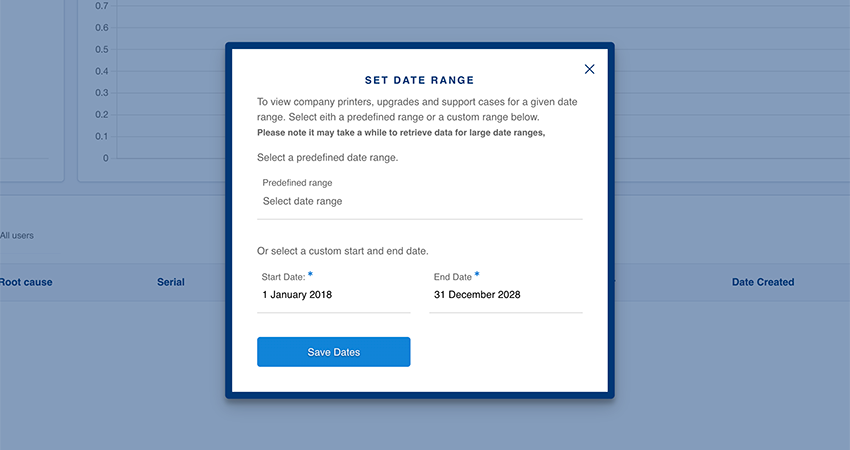
Company data is displayed based on a set date range using a start and end date. This date range can be set at any time once signed in, once you submit your date range the system will go and fetch your date and update all company charts and tables, e.g. cases, upgrades, HoloKotes etc. If you set a date range and sign out, the dates will be stored in a cookie for 90 days so will be available the next time you sign in. The system will as you to confirm or change the dates before fetching your data.
To set a date range
- Open the date range modal
- Select a predefined date rage using the drop down
- Or choose a custom start and end date
- Submit the dates
Open the date range modal
On all pages that have data displayed based on a date range, there will be a “Set Date Range” button on the right of the page.

Clicking this button will launch the “Set Date Range” modal.
 Once modal has open you can then set your dates and retrieve your data.
Predefined dates
The modal contains a dropdown list of predefined date ranges to allow you to quickly get to your data.
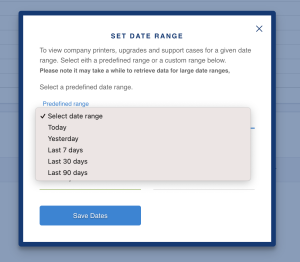 Selecting a predifined date range will automatically set the start and end date and fetch your data without needing to submit the form.
Custom start and end dates
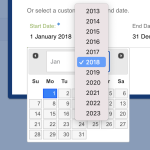
If you want to select a custom date range you can use the “Start Date” and “End Date” fields and both fields are required to set a date range. Clicking each field will launch a calendar to make choosing a date quicker.
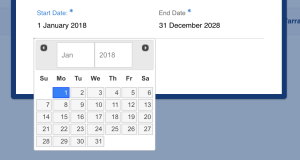
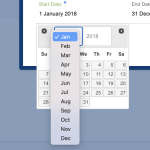
If you want to change the month or year, clicking these fields will let you quickly set these values
 |
 |
|---|---|
Select MonthQuickly choose a month of the year |
Select YearSelect a year, the date picker will display the previous and next 5 years. If you need a year outside this range please enter it manually into the field |